> For the complete documentation index, see [llms.txt](https://waf-doc.inext.checkpoint.com/llms.txt). Markdown versions of documentation pages are available by appending `.md` to page URLs; this page is available as [Markdown](https://waf-doc.inext.checkpoint.com/additional-security-engines/client-side-protection.md).
# Client Side Protection
#### Overview
As part of PCI DSS 4.0 requirements for Client-Side Protection (Requirements 6.4.3 and 11.6.1), CloudGuard WAF introduces automatic Script and IFrame Discovery and Authorization.\
These features help organizations:
* Identify all external JavaScript and iframe resources loaded by their web applications
* Detect and prevent unauthorized or unexpected third-party scripts
* Enforce a “trust-list” model for external sources
* Reduce the risk of client-side attacks such as Magecart, form-jacking, or malicious injections
* Maintain PCI DSS visibility and control requirements
### How to set up Client Side Protection?
#### Step 1: Add URIs to Start Discovery
* Navigate to Client-Side Protection Practice → Content & Headers Discovery.
* Add one or more URIs representing pages you want the system to analyze.
* Discovery will not start without at least one URI.
{% hint style="info" %}
To Avoid Learning Inline Scripts check the following checkbox:

{% endhint %}
#### Step 2: Configure Security Header Checks
Set Security header check to one of the following:
* Inactive
* Validate server security headers
* Validate full security-header policy
#### Step 3: Allow the System to Learn
* As traffic flows through the protected application, CloudGuard automatically identifies:
* External JavaScript files
* Inline scripts
* Embedded iframes
* A banner at the top of the screen will notify you that Learning has started.
{% hint style="info" %}
To receive email notifications for Client Side Protection events configure a [notification trigger ](/setup-instructions/setup-notification-triggers.md)and connect it to the relevant asset.

{% endhint %}
* Discovery results appear in two places:
* Client-Side → Discovered Scripts / Discovered IFrames
* Learn tab, where the system summarizes findings during the learning phase
#### Step 4: Review Discovered Items
* Review each discovered script/iframe and determine whether it is:
* Expected and safe
* Unexpected, unknown, or suspicious
#### Step 5: Authorize Trusted Scripts & IFrames
* Approve legitimate resources directly from the Discovered list
{% hint style="info" %}
To allow all inline scripts check the following checkbox

{% endhint %}
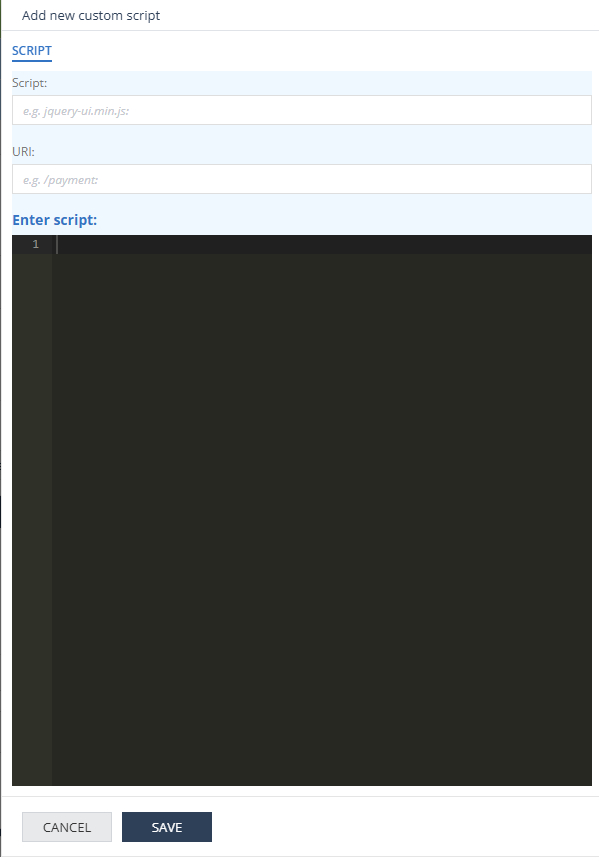
* Use Custom section to:
* Add Scripts/Iframes that were not discovered yet.
* Pre-authorize updated versions to deploy changes without needing re-discovery.
* Define stricter allow-list rules.
* Adjust **Script Authorization mode** and **Iframe Authorization mode**
#### Step 6: Enable Enforcement
When ready: Enforce Policy
CloudGuard WAF will then block unauthorized or unexpected scripts and iframes.
---
# Agent Instructions
This documentation is published with GitBook. GitBook is the documentation platform designed so that both humans and AI agents can read, navigate, and reason over technical content effectively. Learn more at gitbook.com.
## Querying This Documentation
If you need additional information that is not directly available in this page, you can query the documentation dynamically by asking a question.
Perform an HTTP GET request on the current page URL with the `ask` query parameter, and the optional `goal` query parameter:
```
GET https://waf-doc.inext.checkpoint.com/additional-security-engines/client-side-protection.md?ask=&goal=
```
`ask` is the immediate question: it should be specific, self-contained, and written in natural language.
`goal` is optional and describes the broader end goal you are ultimately trying to accomplish on behalf of the user. GitBook uses it to tailor the answer towards what is most useful for that goal.
The response will contain a direct answer to the question and relevant excerpts and sources from the documentation.
Use this mechanism when the answer is not explicitly present in the current page, you need clarification or additional context, or you want to retrieve related documentation sections.